Creating Engaging Videos for Social Change: A Youth-Focused Guide
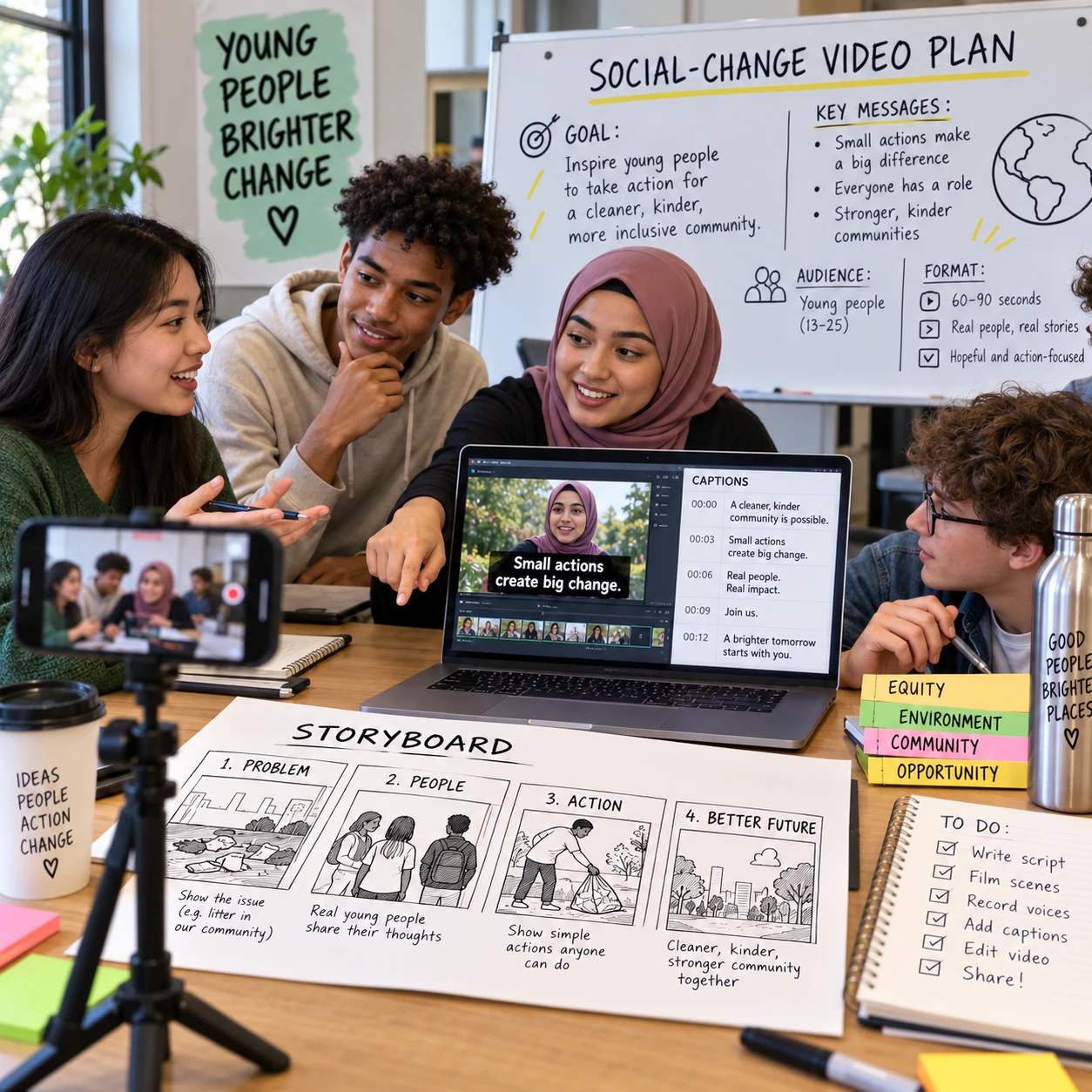
Videos can help young people explain an issue, share lived experience, and open a path to civic participation. A successful social-change video does not need expensive equipment or millions of views. It needs a clear purpose, trustworthy information, respect for the people involved, and a next step viewers can take.
That work also touches digital policy: privacy, accessibility, platform choices, online safety, and the way information travels. Use the following process to plan a video that earns attention without sacrificing trust.
Start with a clear issue and audience
Choose one specific social-change issue and decide whose perspective the video should serve. A defined purpose and audience make it easier to choose the right story, format, and call to action.
Start with a question: What should change? Narrow broad subjects such as climate action, school policy, or online safety to a concrete concern. For example, a video about digital privacy might focus on how students can review app permissions, rather than trying to cover every risk of being online.
Next, identify the audience. “Young people” are not one group. Age, language, location, disability, access to technology, and experience with an issue all affect what people need from a video. A clip for students new to a topic may explain key terms; one for youth organizers could focus on how to join a local meeting.
- Purpose: Is the video meant to raise awareness, support participation, or prompt a specific action?
- Audience: Who is it for, and what do they already know?
- Perspective: Whose voices are missing, and who may be affected by the video?
Keep the scope manageable. Trying to represent every viewpoint in one short video often blurs the message. A focused piece can be part of a wider series, with each video serving a distinct audience or question.
Shape a focused, credible message
Build the message around one main point, reliable information, and a human perspective that fits the issue. A simple narrative helps viewers understand why the topic matters and what they can do next.
A useful structure is context, experience, possibility: explain the issue, show how it affects people, then describe a realistic route toward change. A young person discussing a school policy, for instance, might briefly state what the policy does, explain its effect on students, and point viewers to a public consultation or student group.
Check factual claims before filming. Use primary documents, public data, or reputable organizations, and distinguish evidence from personal opinion. If a figure is important, explain its source and context rather than adding a number as decoration. The [UNICEF guidance on children’s rights and the digital environment](https://www.unicef.org/globalinsight/reports/policy-guidance-childrens-rights-digital-environment) offers a useful policy lens for considering young people’s rights online.
Storytelling should create understanding, not pressure. Lived experience can give an issue human meaning, but one person’s account should not be presented as universal proof. Avoid sensational claims, misleading edits, and footage that implies more than it shows. When details are uncertain, say so; that kind of honesty supports media literacy and trust.
Choose a format and platform that fit
Choose a video format and platform based on the audience, purpose, and safety needs. Short-form video can make an idea easy to encounter, while a longer interview or explainer may give a complex issue the context it needs.
Match the format to the job:
- Short explainer: Introduce one idea or correct a common misunderstanding.
- First-person story: Share a participant’s experience with informed consent and clear boundaries.
- Interview: Present several perspectives, with questions that allow thoughtful answers.
- Step-by-step guide: Show how to take a practical action, such as submitting feedback or finding a youth council.
Then consider where the intended audience can safely and comfortably watch. Platform features, moderation, privacy settings, age requirements, and sharing controls differ and can change. Review current settings before posting, especially if participants are minors or the topic could expose someone to harassment.
Do not assume a platform’s popular format is automatically right. A vertical clip may be easy to share, but fast cuts and compressed context can make sensitive issues harder to understand. A longer video offers room for nuance but asks more of the viewer. Choose the shortest format that communicates the message responsibly, and consider sharing a transcript or a longer source alongside it.
Make the video accessible and engaging
Make the video engaging by establishing relevance early and presenting its message in clear, accessible ways. Strong captions, readable on-screen text, useful visuals, and a steady pace help more viewers follow the story.
Open with the issue or a question viewers can recognize, not a long introduction. In the first moments, make clear what the video covers and why it matters. Then keep one main idea in view. A simple storyboard can help: write the opening, the key points, the visual for each point, and the final action before recording.
Accessibility is part of good communication. Add accurate captions for spoken words and meaningful sounds, and check them for names, acronyms, and policy terms. Do not rely on auto-generated captions without review. Use high-contrast text, large enough to read on a phone, and leave it on screen long enough to absorb. Avoid flashing effects and do not use color alone to convey important information.
Use visuals that add meaning rather than distract: a document, a location, or a simple diagram can clarify an idea. If someone cannot see the visuals, captions alone may not explain them; describe essential visual information in narration or provide a text description. Offer a transcript when practical. These choices can improve access for disabled viewers, people watching without sound, and those using slower connections.
Protect participants and build trust
Protect participants by getting informed consent, limiting unnecessary personal information, and checking the safety risks of filming and sharing. A compelling story is never worth exposing a young person to harm they did not understand or agree to.
Explain where the video may appear, who could see it, whether it may be reshared, and whether the participant can review their contribution before publication. Consent should be voluntary and appropriate to the person’s age and circumstances. For minors, follow applicable laws and organizational safeguarding policies, and involve a parent or guardian where required. Avoid promising that a video can be fully removed after it has been posted.
Reduce privacy risks before recording. Do not show school names, home addresses, location tags, private messages, or identifying details unless there is a clear reason and informed permission. For sensitive topics, consider using a first name only, filming hands rather than faces, changing identifying details, or using an animation or voiceover. Each option has limits: anonymizing a face may not conceal a voice, background, or story detail.
Representation requires care, too. Do not ask one young person to speak for an entire community, or edit a participant’s words to create a more dramatic claim. Discuss boundaries in advance, check how the final cut may be interpreted, and plan for comments or unwanted attention. Clear moderation and reporting procedures help, but they cannot guarantee a safe response on every platform.
Invite meaningful action and learn from results
End with one specific, realistic call to action and evaluate more than views. A useful video makes the next step clear, then uses audience feedback and participation to improve future work.
Choose an action that matches the video’s purpose and the viewer’s ability to act. For awareness, invite viewers to learn from a credible source. For participation, point them to a meeting, youth group, or consultation. For direct action, explain exactly what to do, where to do it, and any relevant deadline. Avoid vague instructions such as “make a difference” or calls that pressure viewers to share personal information publicly.
Measure outcomes against your original goal. Views and completion data can show whether people watched, but they do not prove that the video changed minds or led to action. Depending on the project, useful signals may include questions asked, event registrations, resource downloads, or feedback from the young people the video was intended to reach. Collect only the data you need, and be transparent about how you will use it.
Review comments for confusion, misinformation, or safety concerns. Correct errors clearly and link to reliable sources when possible. Then ask: Did the audience understand the message? Was the action feasible? Whose voices were heard, and who was left out? This turns evaluation into a learning process rather than a search for virality.
Frequently asked questions
How can young people make social-change videos on a limited budget? Use a smartphone, natural light, and a quiet recording space. Plan a short storyboard, record a few clear takes, and use free editing tools only after checking their privacy terms and age requirements. Strong research and clear sound matter more than expensive effects.
What makes a call to action effective? It is specific, relevant, and achievable. Tell viewers what to do, how to do it, and why it matters. Offer a lower-pressure option, such as reading a resource, when a public action may not be safe or suitable for everyone.
How can a video protect the privacy of people featured? Get informed consent, avoid revealing identifying details, and explain the risks of online sharing. For sensitive stories, consider voiceover, animation, or framing that does not show a face. Review the final video for clues in the background as well as the main footage.
How do captions and accessibility features improve a video? Captions help viewers who are deaf or hard of hearing, people watching with sound off, and those who process spoken language more easily with text. Readable on-screen text, transcripts, and descriptions of important visuals offer additional ways to access the same message.
Creating engaging videos for social change is a practical form of youth civic engagement when it connects a credible story to an accessible next step. Start with one issue, respect the people who make the story possible, and judge success by meaningful understanding and participation, not reach alone.